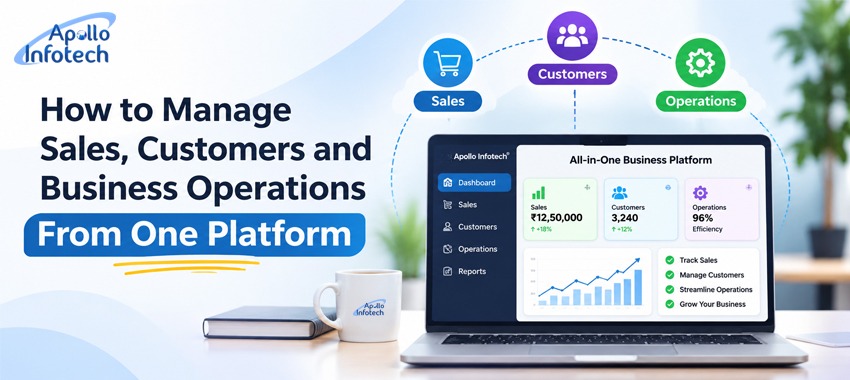
How to Manage Sales, Customers and Business Operations From One Platform
Growing a business is not just about acquiring customers and selling products. It also means managing customer enquiries, record keeping, sales opportunity management, quotes, following up clients, and monitoring the team. When all of these things are managed separately in separate tools and spreadsheets or paper-based records, it becomes difficult to stay organized.
They may also have enquiries from potential customers via the business' website, WhatsApp, social media, calls or other channels. If these are not documented correctly, it can lead to sales teams not following up on leads, forgetting who they can help or making it difficult to identify which opportunities are most likely to convert.
A centralized business management system allows you to centralize sales and customer-facing activities. This enables you to have all relevant data in a single location instead of using a slew of apps, dashboards and systems. Your teams can view everything and manage their day-to-day work from one place.
The Problem in Handling Several Business Activities Independently
A lot of small and medium sized business use spreadsheets, email, messaging apps and manual registers to operate the business initially. This can work where the number of customers and enquiries are small. However, as the business grows, so does the information.
Some common challenges include:
1. Customer Information Is Stored in Different Places
Customer names, contact details, previous discussions and their requirements could be stored on spreadsheets, email and even individual's private mobiles. Locating this information requires time, particularly if someone else needs to deal with the enquiry.
2. Sales Follow-Ups Are Overlooked
Today a prospective customer might request a quotation and when sales rep takes three days or more to respond then there is a possibility that the sales rep might forget to follow up.
3. Not enough insight into sales actions
It is common for business owners to be aware of the number of enquiries they receive but not have an understanding of how many enquiries are being followed up on, how many quotations have been issued or how many deals are being successfully closed.
4. Repeated Manual Work
Typing the same data into several files, compiling reports by hand, and updating the sales figures all take away from the time that workers could be spending on their work.
5. Trouble Aligning Sale groups
If more than one employee deals with enquiries it is useful to track who owns the Lead, what activity has been undertaken, and what activity is to take place next.
These issues are not always a result of a lack of employees but can also be due to the fact that the business does not have an integrated system of handling the data and processes.
How One Centralized Platform Can Manage Sales and Customer Activities
A single place for all customer records is a shared media for entering customer information, managing sales potential and tracking important business activities. Based on the operations which can be managed by a specific software, organizations can automate multiple activities without recording multiple records.
Here are some important capabilities to consider.
1. Aggregated Lead Management
All business enquiries are potential sales opportunities. Lead management systems enable teams to enter customer names and details, source of enquiry, needs and other relevant information.
Leads can be entered manually, via website forms or mobile apps. Information is captured at the point of entry and is ready to be used by sales teams who otherwise have to navigate through a combination of spreadsheet and mailing system.
This also simplifies the process of recognising new enquiries and designating responsibility for managing them.
2. Organized Customer Records
Keeping accurate details on customers helps you to know who you already know and what you have said to them.
All this information can then be accumulated within a single customer database along with contact details, enquiry details, notes and each interaction. When the same customer comes back another time, the team don't have to repeat the same questions again.
For businesses with access to the internet these can be accessed by customers by routing the enquiry through your established web site.
3. Sales Pipeline and Deal Tracking
Not every enquiry translates into a customer straight away. Some prospects are only after some product information, a few require a quote, and some need to have a few conversations.
The sales pipeline allows you to organize these opportunities by their stage, such as:
- New enquiry
- Contacted
- Interested
- Quotation shared
- Follow-up required
- Converted
- Lost
This helps sales managers get a better look at how each opportunity is doing and which prospects need to be followed up on.
4. Automatic Follow up Reminders
Follow-ups are an integral part of the sales process. But ensuring that you remember every client call or conversation becomes a challenge when there are multiple inquiries coming through to the team.
A tool that sends automatic reminders will allow sales reps to plan their next follow-up, review open activities and update their progress.
Employees are not required to memorize the tasks and they do not have to use their own pad of paper, but work through a checklist of outstanding tasks.
5. Quotations and Deal Management
Quotations and their status are another common element in many sales processes.
A good system will enable the team to create quotations, send them to prospects and track them (i.e. Whether they are open, accepted or are needing to be followed up).
Storing your quotation details with customer and lead records helps you to see at a glance when you last discussed the quote with your customer, and where the opportunity is up to.
6. Sales Reporting and Monitoring
Business owners are always looking for accurate data to help with decision making. A single dashboard can show valuable insight into the volume of enquiries received, leads converted, open opportunities and salespeople.
Take the example of a business receiving 200 enquiries in a given period of one month and converting only 25. This means you can find out where you're losing potential customers in the sales cycle.
Each report helps you identify potential gaps in the performance and create a more accurate picture of the sales activity instead of doing it manually.
Should You Choose Ready-Made CRM Software or Develop a Custom Platform?
Not every business has to create something from scratch. It all hinges on the size of the organization, its process, monetary considerations and technical demands.
Off-the-shelf CRM software is appropriate for companies that require basic tools of CRM Software like customer data, pipeline management, sales pipeline, reminders, and sales reports. It is good to use when standard features are equivalent to daily work in an organization.
Custom software development does not make sense if your needs could be fulfilled by one of the existing platforms. For instance, your business might need a piece of software for your website, an accounting app, an inventory platform or internal portal and your industry workflows.
Prior to choosing a solution, organizations should assess their true needs and not pay for something they do not use.
What Should You Check Before Implementing a Business Management Platform?
Software selection is merely one step in the process of business improvement. The solution should also be aligned to the way your business operates.
Consider these factors before implementation:
- Ease of use: The system must be easy for employees to use, without complication.
- Mobile accessibility: Sales members working remotely may require mobile access to customer data and details.
- Data security: Customer data should be appropriately secured with access controls and other security measures.
- Reporting: The system should be able to give interesting insight on leads, sales and activities and how they perform.
- Integration: Ensure the platform is compatible with other tools your business is currently using.
- Scalability: Evaluate if the software can accommodate more users and adapt to evolving needs in the future.
The implementation should be carefully planned and include training of the employees; the migration of data; and ongoing monitoring.
Final Thoughts
As your business grows, disparate tools for managing sales, customer data and day-to-day operations can bog things down. An integrated platform can help you keep sales organized and visible, and make customer data easier to find.
If you simply want your CRM to deliver the basics of sales management, then a ready-made CRM is often the best option.